> For the complete documentation index, see [llms.txt](https://docs.tlic.cmu.ac.th/cmu-mango-canvas-manual/llms.txt). Markdown versions of documentation pages are available by appending `.md` to page URLs; this page is available as [Markdown](https://docs.tlic.cmu.ac.th/cmu-mango-canvas-manual/quizzes-and-assignment/quizzes/question-banks/moving-question-to-other-bank.md).
# Moving Question to Other Bank
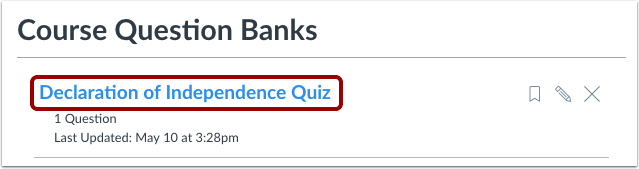
### Open Question Bank
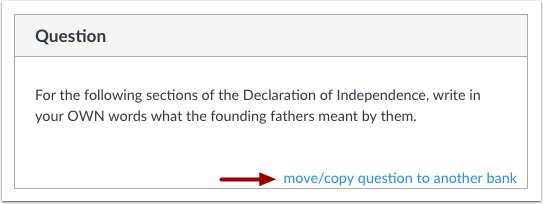
### In the Bank, click Move/Copy Questions to Another Bank
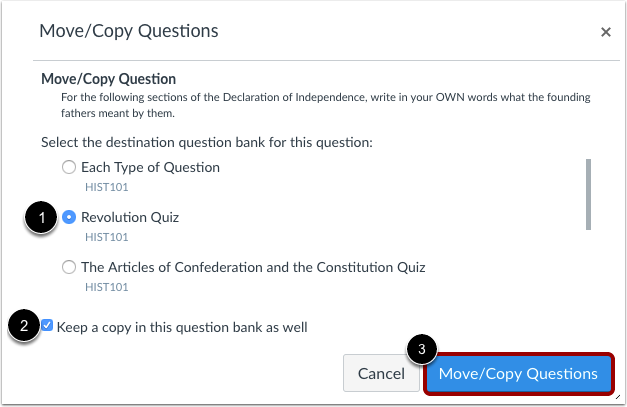
### Select Destination of Question Bank
\[1] Select the destination bank to move the exam questions into.
\[2] Select this option when you only want to copy the exam questions.
\[3] Press to confirm the move.
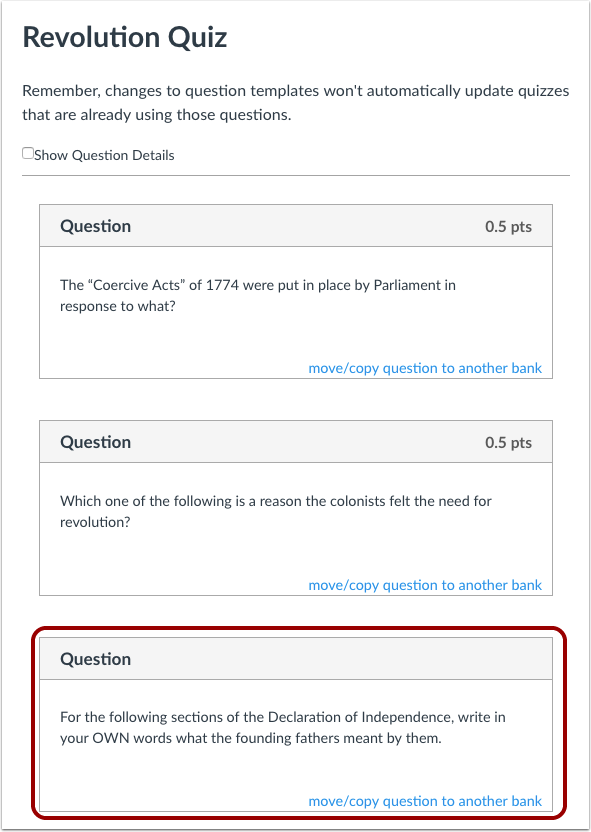
### Check for Moving